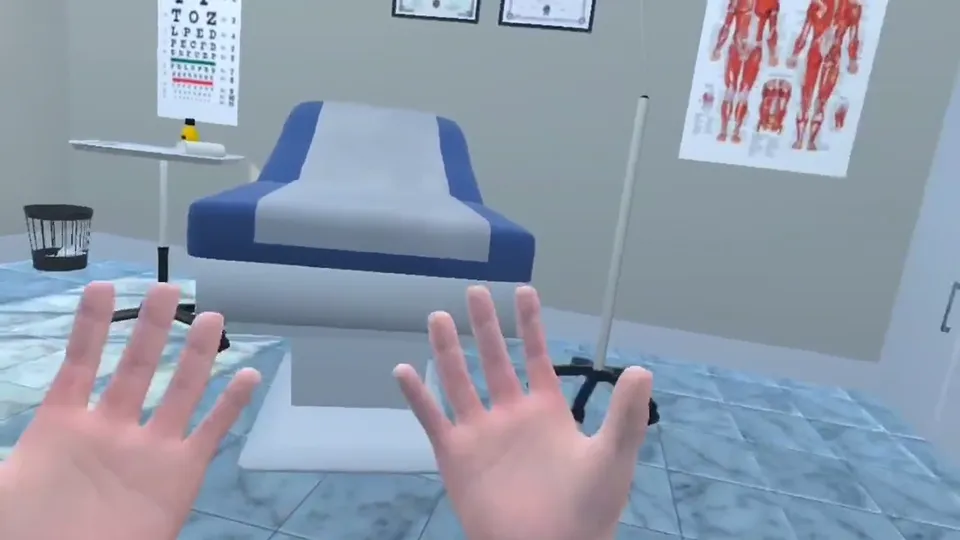
Searching for “Oculus medical simulation” or “VR medical training on Quest”? Oculus headsets are now sold as Meta Quest, and they have become the most common way for medical students and schools to try virtual reality. This guide explains which headsets work, what you can practise on them, what a medical school needs to get started, and how to start today even without a headset.
Oculus headsets are now called Meta Quest. For medical VR, the standalone Quest 3 and Quest 3S are the usual choice in 2026, with Quest 2 still widely used. Older PC-tethered Oculus Rift headsets are discontinued. Headsets give the most immersive practice, but browser-based campuses let students start on a laptop and share the same rooms. The Kashmeta campus runs in the browser today, with a Meta Quest app for Quest 2, 3 and 3S coming soon.
From Oculus Rift to Meta Quest
Oculus started with the Rift, a headset that plugged into a powerful gaming PC. Later came the standalone Oculus Quest, which needs no PC at all. In 2022 the Oculus brand was replaced by Meta Quest, and the Rift line has been discontinued. Most medical schools that buy headsets today choose standalone Meta Quest devices because they are cheaper, easier to manage and can be carried between rooms.
Which Meta Quest headset is best for medical VR?
- Meta Quest 3: the sharpest display and full-colour passthrough, which makes mixed reality possible, for example a 3D anatomy model standing in the real classroom.
- Meta Quest 3S: the lower-cost option with the same processing power, a good fit for a shared set of headsets in a skills lab.
- Meta Quest 2: older but still common, and fine for most training apps.
Hand tracking on Quest headsets lets learners pick up instruments with their own hands instead of controllers, which feels natural for clinical tasks such as examining a patient or handling a syringe.
What can medical students practise in VR?
- Anatomy: full-size 3D models that students can walk around and take apart. See why VR is changing how anatomy is learned.
- Surgical steps: rehearsing the sequence of an operation, with feedback on each step, before seeing it in theatre.
- Emergencies: cardiac arrests and other time-critical cases, often as a team.
- Clinical communication: history taking and consultations with virtual patients.
- Bedside skills: examining a patient with virtual instruments such as a stethoscope and blood pressure cuff.
Unsure about a term? See the medical VR glossary. For a wider overview, read our guide to medical VR for students and schools and rehearsing procedures in VR before patients.
What a medical school needs to run Quest headsets
- A shared set rather than one per student. Small groups can rotate through 6 to 12 headsets in a session.
- Device management. Someone needs to charge, clean, update and install apps on the headsets. Plan this before the first session, not after.
- Space and Wi-Fi. A clear area for each learner and a reliable connection, especially for multiplayer sessions.
- A plan for students without a headset. Not every student can or wants to wear a headset for long. A desktop option keeps everyone in the same class.
Our VR pilot checklist for medical schools covers this step by step.
Can you do medical VR without a headset?
Yes. A browser-based 3D campus gives students most of the learning, such as anatomy, procedure steps, emergency team cases, AI patients and exam practice, on the laptops they already own. Headsets then become an upgrade for the sessions where full immersion matters most, rather than a barrier to starting. This is how the Kashmeta campus works: it runs in Chrome or Edge today, and the Meta Quest app for Quest 2, 3 and 3S is in development, with headset users joining the same live rooms as students on laptops.
Kashmeta on Meta Quest: what is coming
In the Quest app, learners will rehearse surgery with their hands, examine patients at the bedside with virtual instruments and explore mixed-reality anatomy on Quest 3. Until then, everything below is open in the browser:
- 7 scored surgery simulations, from a surgical airway to a laparoscopic cholecystectomy
- emergency team cases and 15 clinical case boards
- 1,200+ MCQs with explanations, including 1,100+ original USMLE-style questions
- 25+ AI doctors, nurses and patients who talk in 9 languages
- a full-size 3D anatomy lab with an AI tutor
Try the campus free for 30 minutes, with no sign-up and no download, or book a live demo for your medical school. Prices for students and institutions are on the plans page.
Frequently asked questions
Is Oculus the same as Meta Quest?
Yes. Oculus was the original brand of the headsets. Since 2022 they are sold as Meta Quest, and the PC-based Oculus Rift line has been discontinued.
Which VR headset is best for medical students?
For most medical training apps, a standalone Meta Quest 3 or Quest 3S is the usual choice, with Quest 3 adding colour passthrough for mixed reality. Many students can also start without a headset on a browser-based campus.
Is there a Kashmeta app for Meta Quest?
A Kashmeta app for Meta Quest 2, 3 and 3S is coming soon. Today the full campus runs in Chrome or Edge on a laptop or desktop, free for 30 minutes.
Can a medical school use Meta Quest headsets with students on laptops?
Yes, on platforms that support both. On Kashmeta, headset users will join the same live rooms as students on laptops once the Quest app launches.
Meta Quest is a trademark of Meta Platforms, Inc. Kashmeta is not affiliated with or endorsed by Meta. Simulation-based practice, not an accredited qualification. USMLE-style practice by Kashmeta. Not affiliated with or endorsed by the USMLE program, FSMB or NBME.