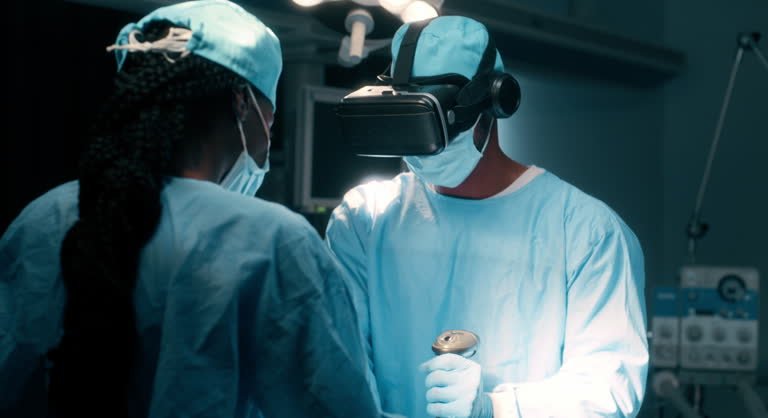
Your first days in theatre go faster than you expect. The team moves through a well-practised routine, and students who already know the steps of the operation get more out of every minute: they can follow what is happening, answer questions and, when invited, help. Surgical simulation lets you learn those steps before you scrub in.
Before a surgery rotation, use simulation to learn the sequence of common operations, the instruments and the safety checks, not to master hand skills. Practise in guided mode first, then in a scored mode, and repeat the steps you miss. On Kashmeta, seven scored surgery simulations run in a laptop browser, from a surgical airway to a laparoscopic cholecystectomy.
What surgical simulation can and cannot teach
Simulation is excellent for the cognitive side of surgery: the order of steps, which instrument comes next, what the surgeon is checking at each stage and what can go wrong. It is less useful for the haptic side, such as the feel of tissue or the tension of a suture, which needs bench models, task trainers and supervised practice. Use each for what it does best.
What to practise before your surgery rotation
- The surgical safety checklist. Know the sign-in, time-out and sign-out, and why each matters.
- Scrubbing, gowning and sterile field rules. Learn these from your hospital’s teaching, then rehearse them mentally.
- The steps of common operations. Laparoscopic cholecystectomy, appendectomy and joint replacements are frequent on general and orthopaedic lists.
- Instrument names. Being able to name what the scrub nurse is passing makes the operation easier to follow.
- Relevant anatomy. Calot’s triangle before a cholecystectomy, the knee joint before an arthroplasty. Revise it in 3D in an anatomy lab.
- Complications and post-operative care. These come up in ward rounds and exam questions alike.
The seven Kashmeta surgery simulations
- Emergency surgical airway: a time-critical procedure when a patient cannot be intubated or oxygenated.
- Total knee replacement: from the time-out and bone cuts to cementing the implant.
- Spine pedicle screws: placing screws safely along the correct trajectory.
- Cataract surgery: working through the microscope: incisions, capsulorhexis, phacoemulsification and the lens.
- Tooth extraction: a common dental procedure, step by step. Dental students: see VR dental training.
- Laparoscopic cholecystectomy: one of the most common general surgery operations.
- Open appendectomy: a classic emergency operation.
Each simulation follows the steps of the real operation and has a practice mode that guides you and an assessment mode that scores every step for accuracy, order and safety.
A simple practice plan
- Week before the rotation: run each relevant simulation once in practice mode and note the steps you did not know.
- Revise: read about those steps and the anatomy behind them.
- Assessment mode: run it again for a score. Repeat until you can name every step in order.
- On the rotation: before each list, rerun the operation you are about to see. Afterwards, compare the real case with the simulation.
For the evidence behind rehearsal, read simulation before patients. For emergencies, try the cardiac arrest team case with classmates, and see 10 ways to use VR in medical school.
Open the campus free for 30 minutes in Chrome or Edge to try the simulations. All seven are included in Kashmeta Pro, from $12 for 31 days (see plans).
Frequently asked questions
Is surgical simulation useful for medical students?
Yes. Simulation helps students learn the sequence of an operation, the instruments and the safety checks before they reach theatre, so they can follow and contribute more during a rotation.
Can surgical simulation replace practice in theatre?
No. Simulation prepares you; supervised practice in theatre and on bench models builds hands-on skill.
Which operations can I practise on Kashmeta?
An emergency surgical airway, total knee replacement, spine pedicle screws, cataract surgery, tooth extraction, laparoscopic cholecystectomy and open appendectomy, each with a practice mode and a scored assessment mode.
Do I need a VR headset for Kashmeta surgery simulations?
No. They run in Chrome or Edge on a laptop or desktop. A Meta Quest app is coming soon.
Simulation-based practice, not an accredited qualification. Simulations are for education and do not replace supervised clinical training.